
#active-directory
#windows-server
#windows
Add Windows Server Core to existing Active Directory Domain
This guide will show you how to add a new domain controller to an existing Windows Active Directory Domain on a Server Core 2022 system.
Snipping Tool isn't a bad utility, but Windows' obnoxious behaviour when it comes to remapping shortcuts can make using an alternative tricky.

The built-in Windows Snipping Tool isn’t a bad utility. On the contrary, when you’re using an unfamiliar system, knowing that a tool like that is there by default is great. The problem comes when you are using something else on your main system, and you want to re-map the default Snipping Tool shortcuts.
Both Win + Shift+S and the Print Screen key will trigger the snipping tool capture by default, but Windows seems to be extremely obnoxious about letting you use these keys for another purpose.
Windows, weirdly, does allow you to uninstall Snipping Tool. Just go into Programs & Features / Installed apps, find Snipping Tool, and choose uninstall.
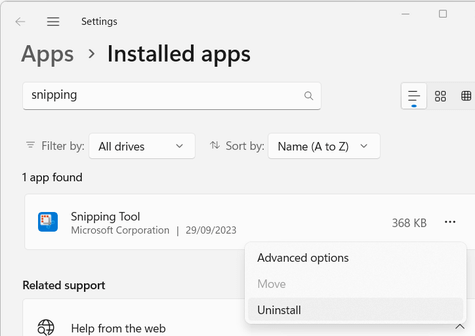
Once you’ve done this, however, the crosshairs still show up when you use the Win + Shift+S and the Print Screen shortcuts.
To remove the Print Screen → Snipping Tool link, hit the Windows key and search for print screen. Choose the option that will take you into System Settings > Accessibility > Keyboard, then uncheck ‘Use the Print screen key to open Snipping Tool’.
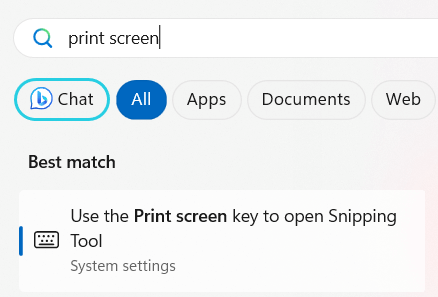
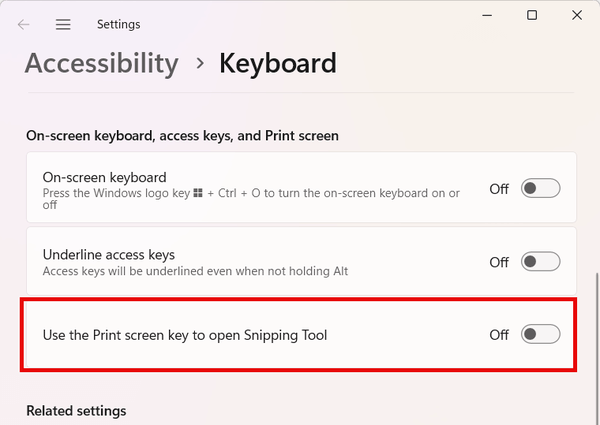
Finally, disabling the other Snipping Tool shortcut will prevent the pointless crosshairs from triggering if we use that old shortcut by mistake.
Open the registry editor (Win + R > type ‘regedit’, hit enter). Click ‘yes’ if you see the UAC prompt.
Navigate to Computer\HKEY_CURRENT_USER\Software\Microsoft\Windows\CurrentVersion\Explorer\Advanced, and in the pane on the right, right-click, and choose New > String Value.
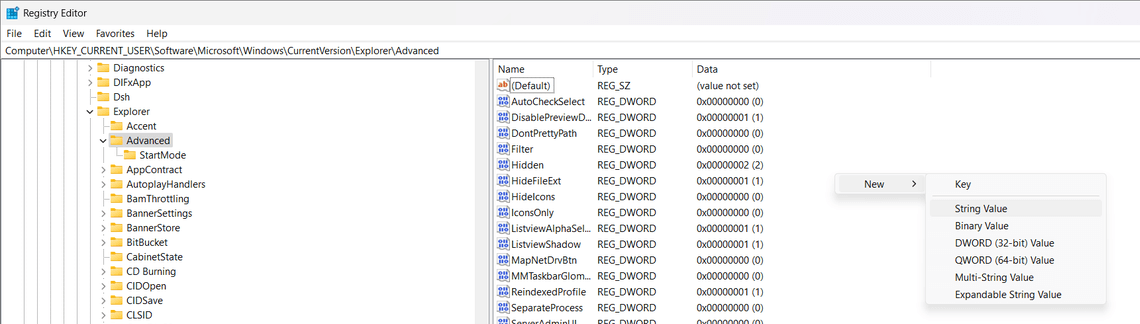
Name the new string DisabledHotkeys and set the value to S.
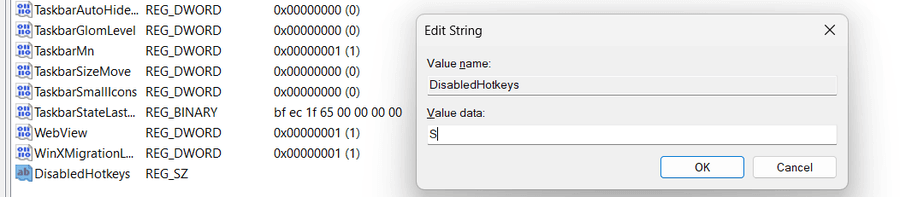
Click OK, close the registry editor, and give your computer a reboot.
After this, other screenshot utilities should be able to map to the Print Screen key, although this isn’t a complete fix as with Snagit for example, the Print Screen key can’t be mapped to a specific saved workflow (you can map other shortcuts to these, but not Print Screen or Win + Shift + S), but it instead runs the workflow that was run last. For the most part, this works pretty well, but it should be easier to make Windows relinquish control of shortcuts like this.
If there’s anything I’ve missed, or if you use a product like this, please let me know in the comments, or send me a message at @techbits@fosstodon.org.
Share this article:
This guide will show you how to add a new domain controller to an existing Windows Active Directory Domain on a Server Core 2022 system.

Want to create a Windows Active Directory Domain (and Forest) on a Windows Server Core system? This guide will teach you how!

If you're creating a new domain and see 'The NetBIOS name is already in use', the server sees something with the same name. Here's how to fix it.